
Protocol Connectivity: Destinations, Servers, and Links
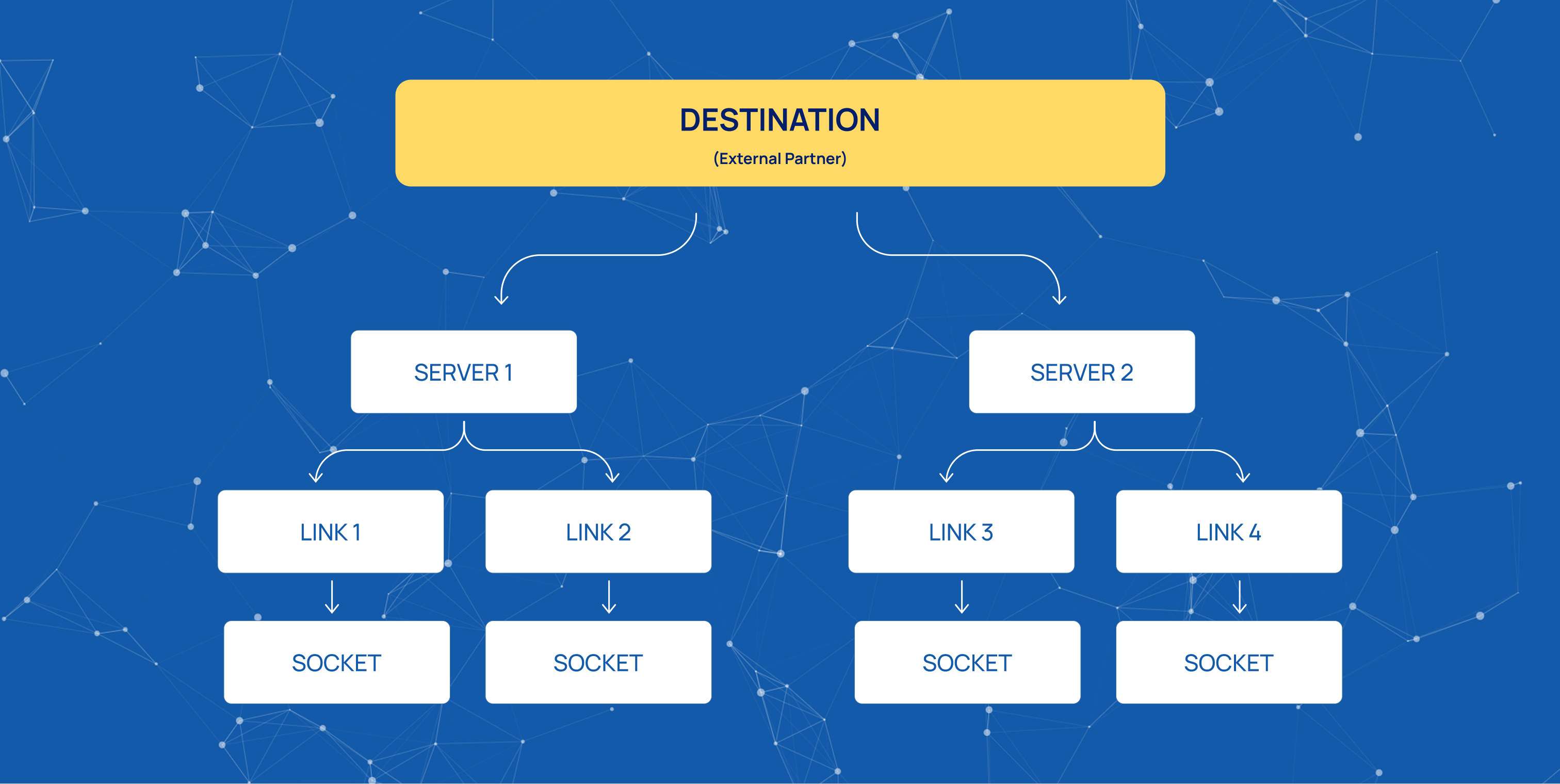
Every protocol in Mobius connects to external partners through the same three-level structure: Destination, Server, and Link. Each level represents a different part of the connection:
-
Destination — identifies the partner.
-
Server — identifies a node within that partner.
-
Link — represents the actual transport connection to that node.
The structure is the same across all protocols. The three levels always appear in the same order, although some parameters differ depending on the protocol.
Destination
A Destination represents an external partner as a whole, such as an operator, an HLR cluster, or an external SMS application.
It is a logical entity that stores information shared by all connections to that partner. A Destination does not own any network connection itself.
Server
A Server represents one node within a Destination. How a node is identified depends on the protocol:
-
SS7 — a point code and its subsystem numbers.
-
SIP — a hostname.
-
HTTP — a service name.
-
SMPP — no separate server identity is used. A Server groups the sessions belonging to one instance of the partner.
Link
A Link represents an actual transport connection to a Server. It is the only level in the structure that owns a network socket.
Each Link has:
-
A local address.
-
A remote address.
-
A transport.
-
A role: Server or Client.
The hierarchy moves from a business relationship to a partner node and then to an actual connection. One Destination can contain several Servers, and each Server can contain several Links.
Destination References and Connection Management
Gateways and networks reference Destinations only. They do not refer directly to a Server or a Link.
In the Virtual Network settings, the SRI, message, and IMS destination fields all point to a Destination. The platform then selects a working connection automatically.
This separation allows Links to be added, replaced, or taken out of service without changing routing or gateway configuration.
Multiple Links under one Server provide load balancing and redundancy. Traffic is distributed across the Links that are Up, while failed Links are skipped.
Transport and Protocol States
Transport connectivity and protocol identity can fail independently.
For example, a partner may accept a TCP connection but reject all traffic at the application level because it does not recognize our point code.
A single connection status would hide this distinction. Keeping the levels separate makes it possible to identify where the failure occurs:
-
No transport connection.
-
No valid protocol peer.
-
The partner does not accept the connection at the protocol level.
Enabled and Up States
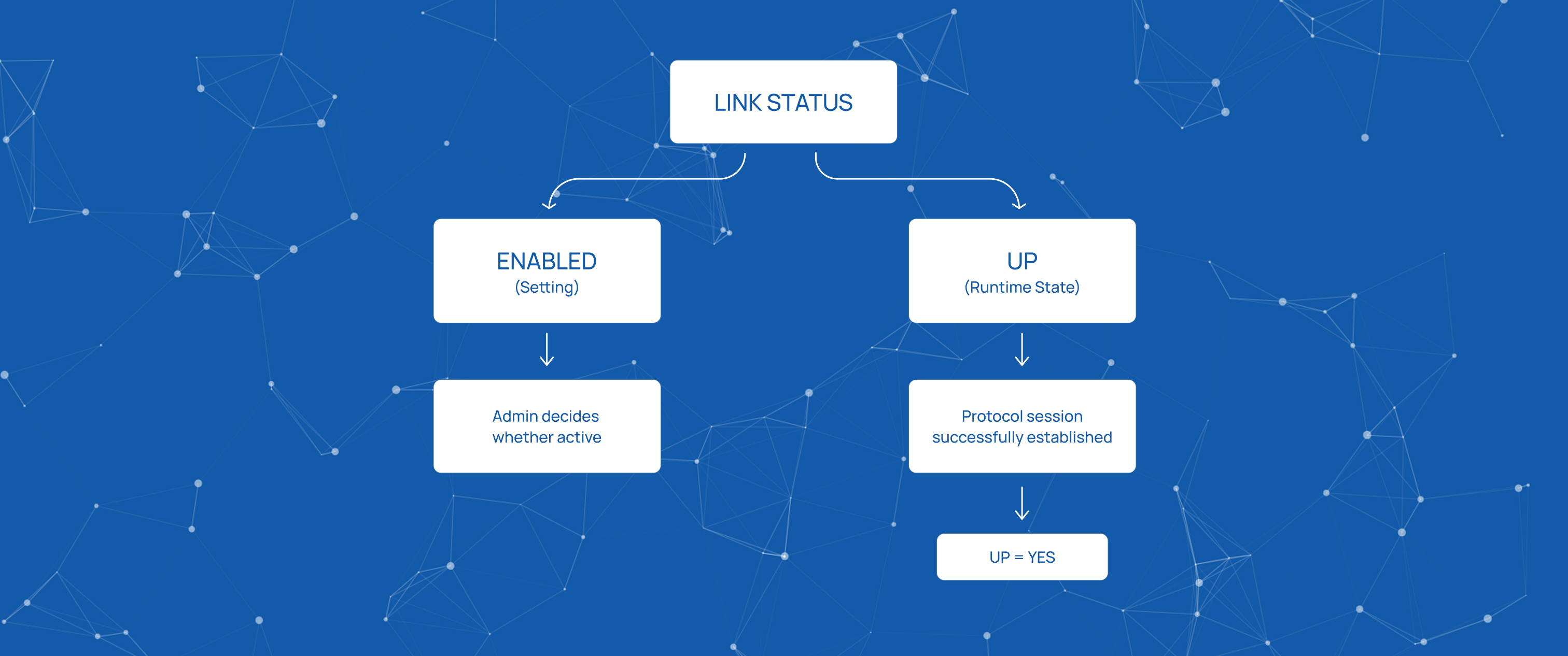
Each level has two distinct states: Enabled and Up. They represent different things and should not be confused.
Enabled is a configuration setting. It represents the administrator's decision to put a Destination, Server, or Link into service or take it out of service without deleting its configuration.
Up is a runtime state. It indicates whether a working connection exists at that moment.
A Link is considered Up only when its protocol-level session is established. For example, an SMPP connection is Up after a successful bind, not merely when the underlying TCP connection is open.
An Enabled Destination can therefore be Down. Enabled describes the configured state, while Up describes the current runtime state.
Client and Server Roles
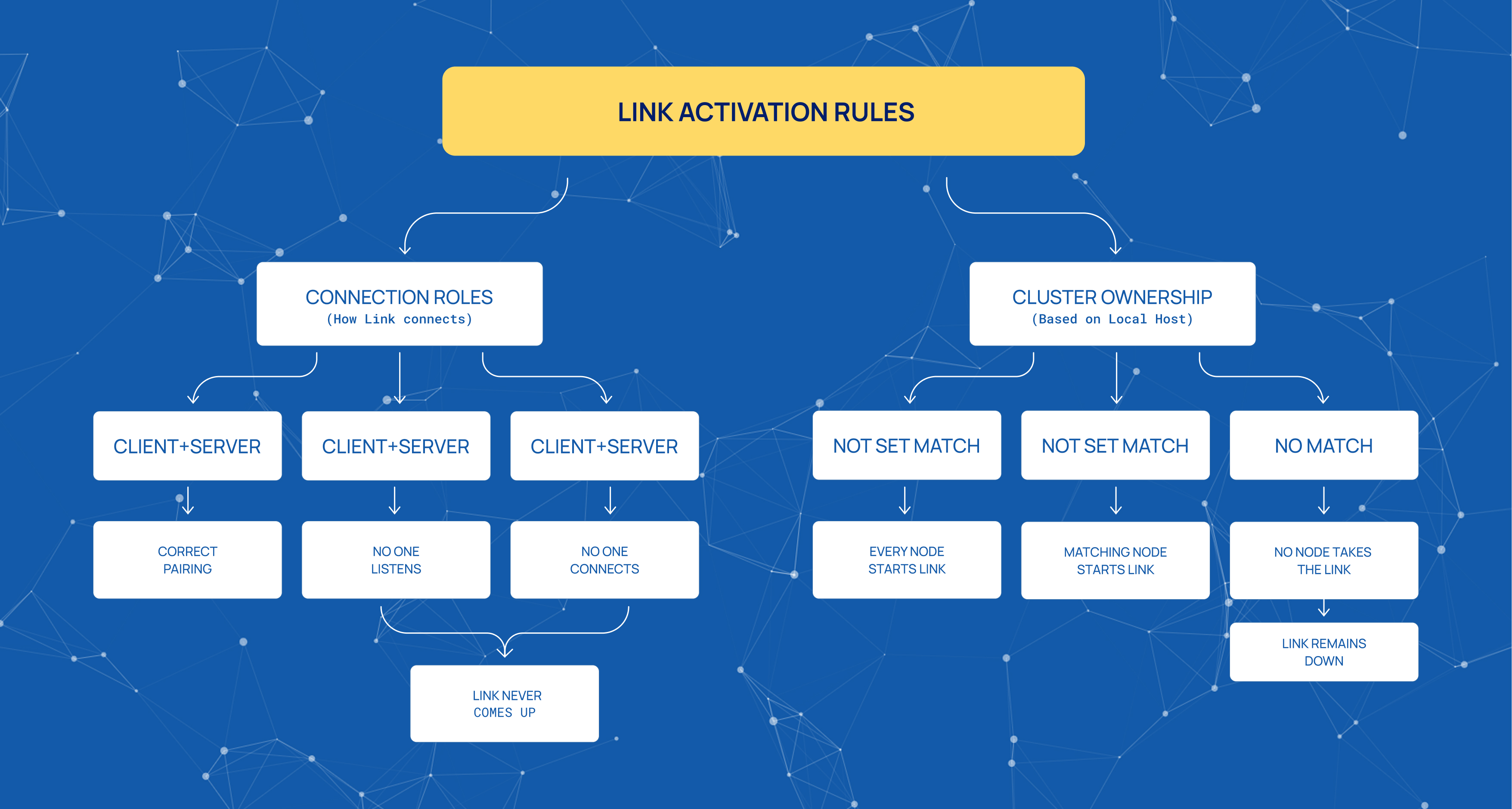
Each Link must have two different roles:
-
Client — initiates the connection.
-
Server — listens for incoming connections.
One side must be configured as Client and the other as Server.
If both sides are configured as Clients, neither side listens for a connection. If both are configured as Servers, neither side initiates one. In both cases, the Link never comes Up.
Link Ownership in a Cluster
In a clustered environment, a Link belongs to the node whose address matches the Link's Local Host setting.
The behavior depends on the Local Host value:
-
Local Host is not set — every node in the cluster starts the Link.
-
Local Host matches a node's address — that node takes ownership of the Link.
-
Local Host does not match any node — no node takes the Link, and it remains Down without reporting an error.
Configuration Updates
Changes made through the interface do not require a platform restart.
Mobius re-reads the configuration approximately once a minute. Therefore, a configuration change can take up to one minute to apply.
Start innovating with Mobius
What's next? Let's talk!