
Database and Processing Configuration Guide
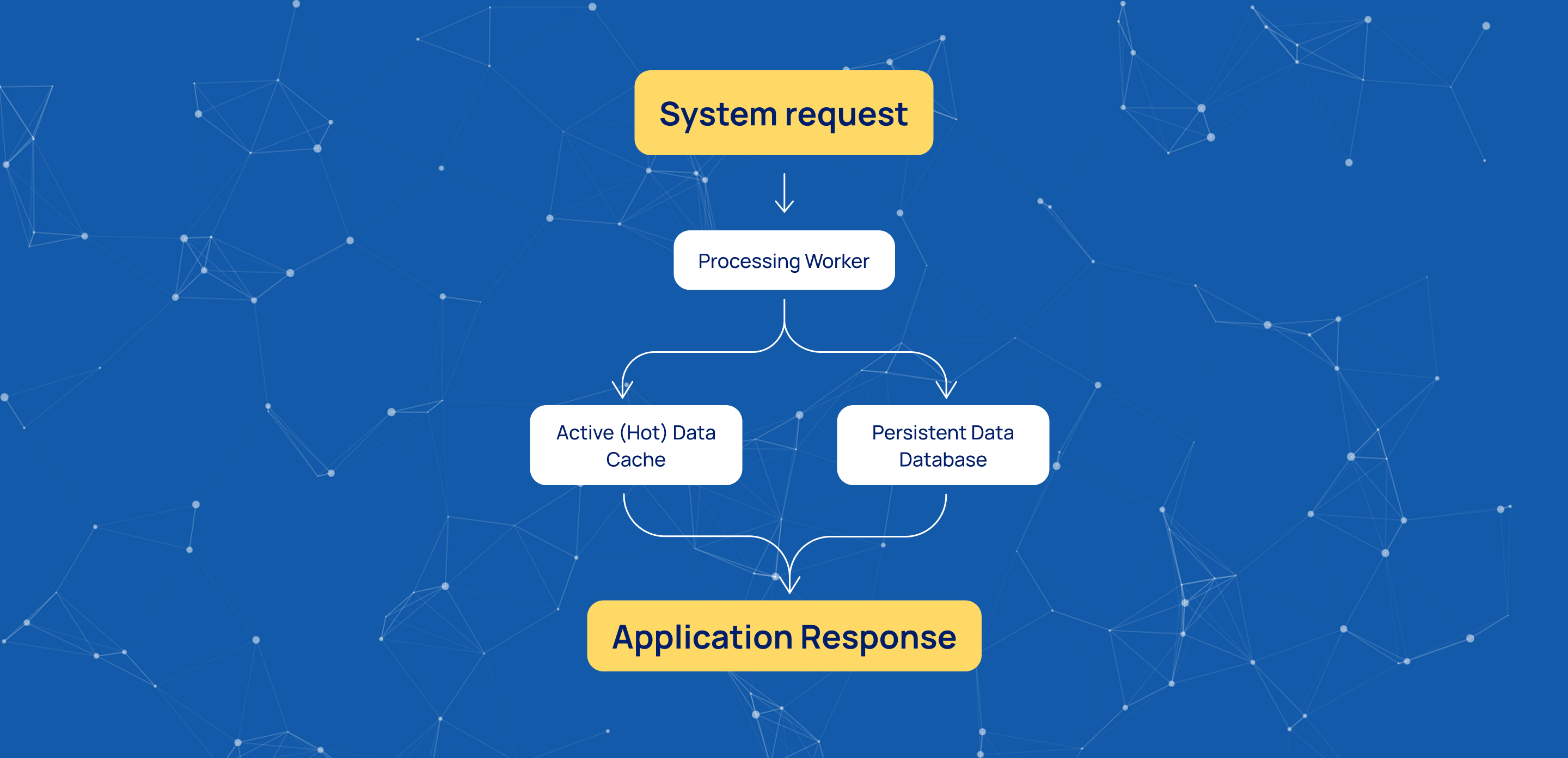
The Mobius platform is built on an asynchronous, non-blocking architecture that allows the system to process tasks continuously without waiting for database responses.
To manage data efficiently, the platform uses two distinct storage layers:
- Active (Hot) Data – stored in cache for fast, real-time access.
- Persistent Data – stored in the database for long-term reliability and security.
This architecture helps maintain high performance while ensuring data remains available and protected.
Worker Configuration
System performance depends heavily on the configuration of processing threads, known as Workers.
The Workers per Server parameter defines how many worker threads run on each server node. This value should be adjusted according to the available hardware resources and is typically configured as a multiplier of CPU cores, commonly between 2x and 16x.
To prevent workers from competing for the same resources, the platform uses Worker Affinity. This mechanism assigns specific tasks to specific workers, reducing resource contention and helping prevent race conditions during high-load scenarios.
Database Connectivity
To connect the processing engine to your storage layer, you must configure the following parameters:
- Connection String – the full database URI used to establish connectivity.
- Database Name – the name of the database instance the platform should use.
These settings support both network databases, such as MongoDB, and local database deployments, depending on your performance and availability requirements.
Connection Pooling
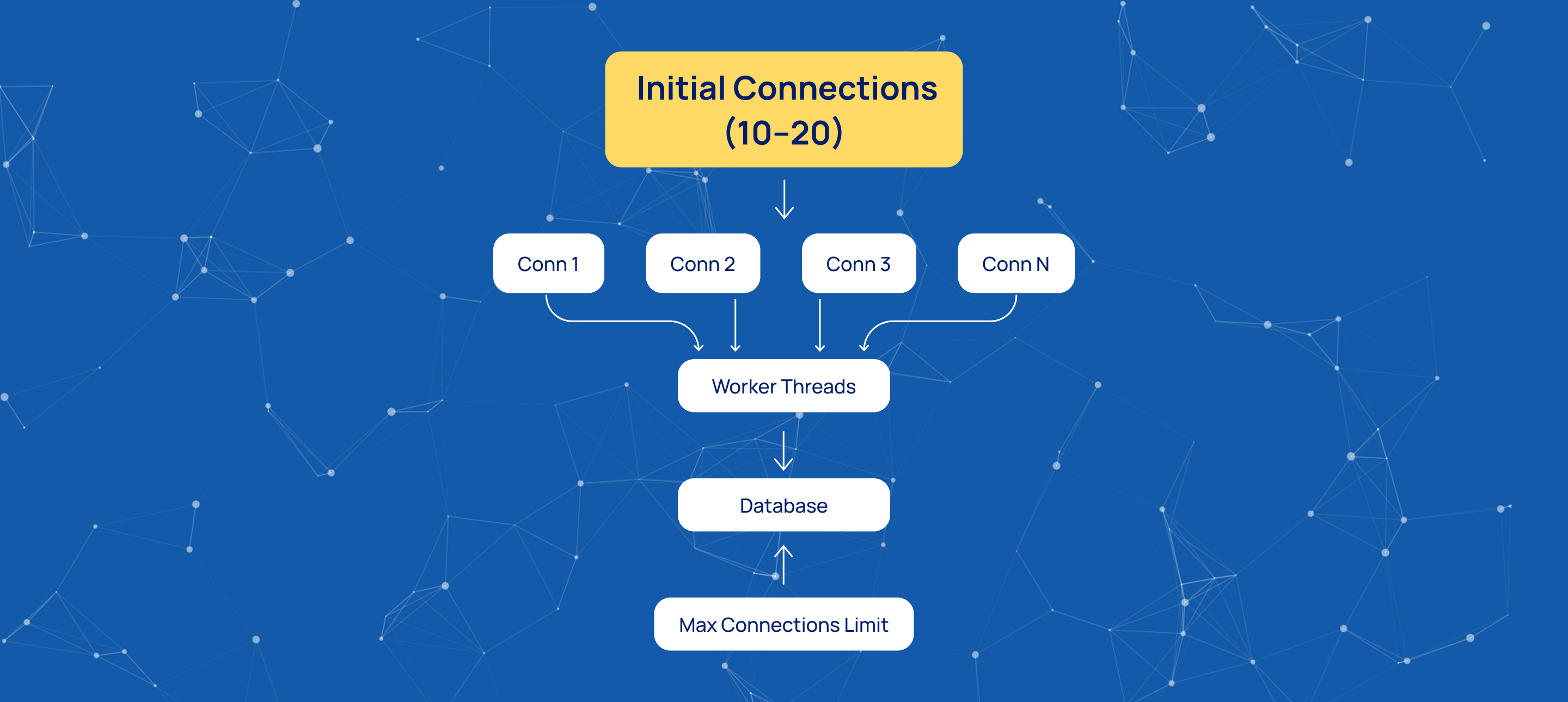
Creating a new database connection for every operation can significantly impact performance. To reduce this overhead, the platform uses Connection Pooling.
Instead of continuously opening and closing connections, the system maintains a pool of active connections that are ready for immediate use.
Key parameters include:
- Initial Connections – the number of connections created during startup, typically between 10 and 20.
- Max Connections – the maximum number of simultaneous connections allowed, protecting the database from excessive load.
Proper configuration of these values helps balance performance, scalability, and database stability.
Connection Monitoring
To ensure database availability, the platform continuously monitors connection health.
The Monitoring Timer defines how often the system checks the database status, with 5000 ms being a common interval.
The Threshold parameter specifies how many failed health checks are allowed before the database is marked as unavailable. A value of 3 is often used to avoid false alarms caused by temporary network interruptions while still enabling fast failure detection.
Conclusion
Carefully configuring workers, database connectivity, connection pooling, and monitoring settings helps ensure a stable, scalable, and high-performance environment for data processing operations.
Start innovating with Mobius
What's next? Let's talk!