
Web Settings Module
The Web Settings module defines how the platform’s management interface and APIs are exposed to the network and how user sessions are secured.
It is a critical layer that impacts:
- Accessibility of the system
- Security of the administrative environment
Network Configuration
The configuration begins with Host and Port settings.
Host
- Defines the IP address the web server binds to
0.0.0.0→ listens on all network interfaces- Specific IP → restricts access to a defined network segment
👉 Best practice:
Use a dedicated management IP in production to ensure network isolation.
Port
- Defines the TCP port for incoming web traffic
- Default:
28080
👉 Ensure:
- The port is open in the firewall
- It is not used by another service
Protocol Configuration
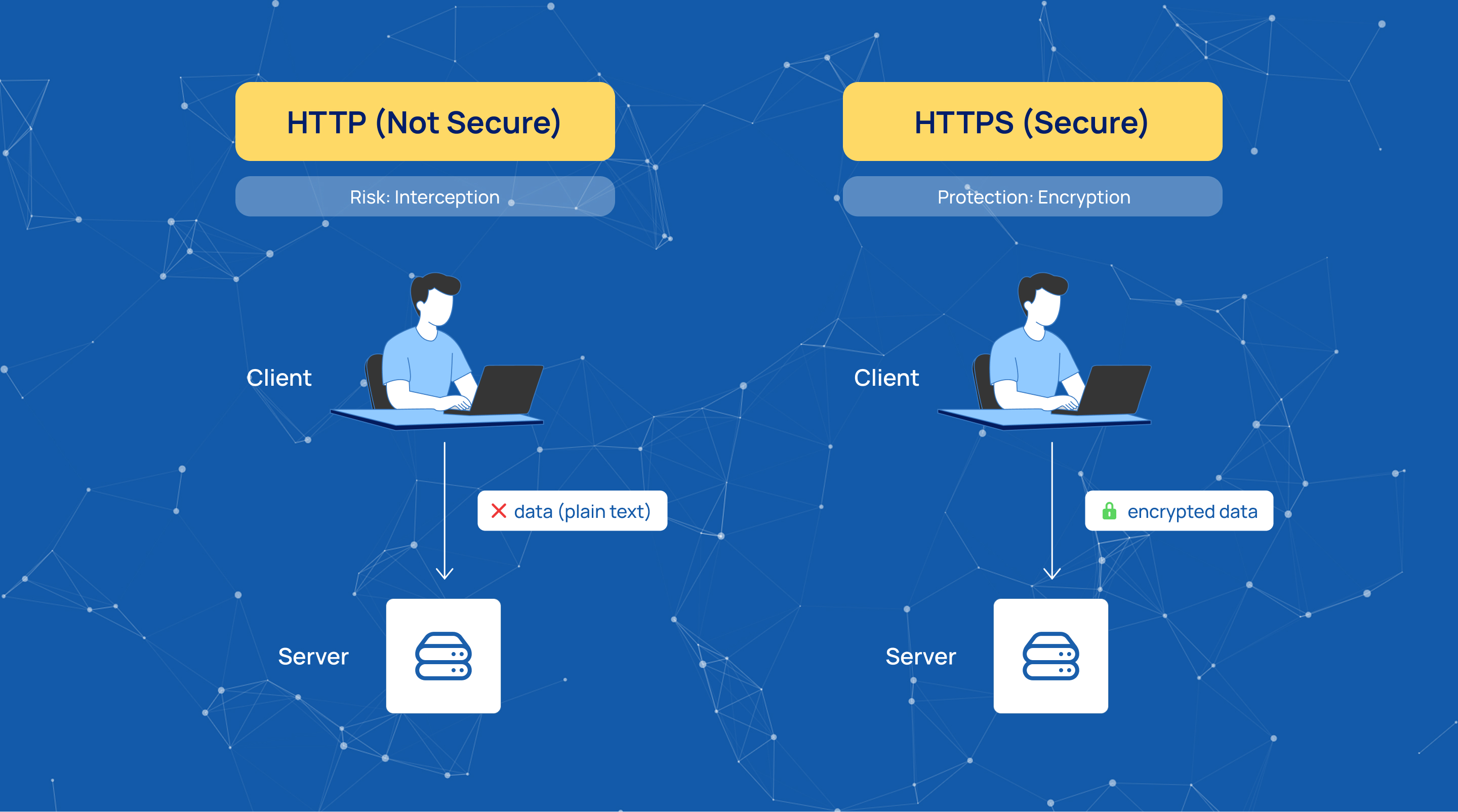
Choosing the correct protocol is essential for security.
- HTTP
- Suitable for development or testing environments
- HTTPS
- Required for production
- Encrypts data in transit
- Protects sensitive configuration data
👉 Best practice:
Always use HTTPS in production environments.
Cross-Origin Resource Sharing (CORS)
CORS controls whether the interface can be accessed from external web applications.
- Enabled
- Allows requests from different domains
- Useful for external dashboards or integrations
- Disabled
- Restricts cross-domain access
- Reduces attack surface
👉 Best practice:
Keep CORS disabled unless explicitly required.
Client State Password (Critical Security Setting)
The Client State Password is one of the most important security parameters.
It is used for:
- Encryption of ViewState
- Signing client-side session data
What is ViewState?
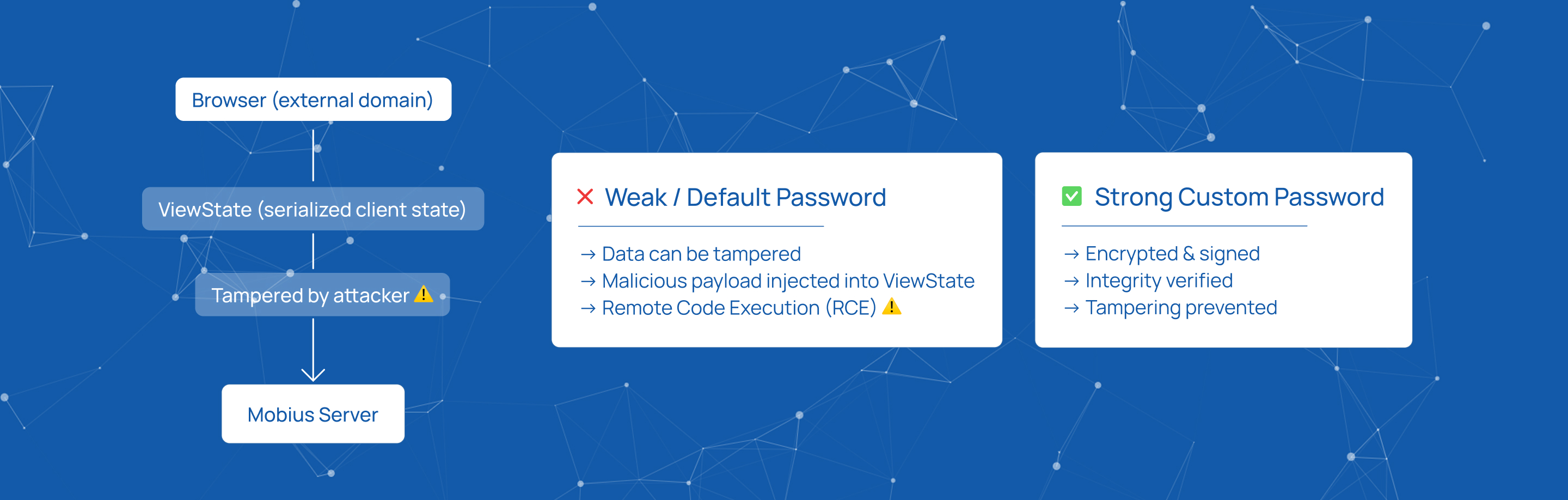
ViewState is a serialized object that stores the state of the web interface on the client side.
Security Risks
If not properly secured:
- ViewState can be tampered with
- Attackers may inject malicious serialized objects
- This can lead to:
- Remote Code Execution (RCE)
- Unauthorized command execution on the server
Default Behavior
- A default password is provided out of the box
- This ensures encryption is enabled
- However, the default value is publicly known
Best Practice
👉 Always replace the default password with a custom one.
Requirements:
- High-entropy
- Alphanumeric
- Unique per installation
👉 This prevents:
- State injection attacks
- ViewState deserialization exploits
How to Configure
Host
- Enter the IP address for the web server
- Use
0.0.0.0for all interfaces - Use a specific IP to restrict access
Port
- Define the TCP port (default: 28080)
- Ensure availability and firewall access
Protocol Selection
- Choose HTTP or HTTPS
- For HTTPS:
- Upload valid SSL/TLS certificates
- Ensure secure handshake
CORS
- Yes → allow cross-domain requests
- No → restrict access (recommended by default)
Client State Password
- Replace the default value
- Use a strong, unique string
👉 This is a mandatory security step
Summary
The Web Settings module plays a key role in securing and exposing the management interface.
Proper configuration ensures:
- Controlled access to the system
- Secure communication (HTTPS)
- Protection against advanced attacks (e.g., RCE)
Start innovating with Mobius
What's next? Let's talk!