
Storage Settings Module
The Storage Settings module defines how assets are stored, distributed, and accessed within the platform.
Currently, the module is primarily focused on image storage, but it is actively evolving.
👉 In future releases, it will support:
- System logs
- Data exports
- Additional file types
This expansion will help streamline system administration and centralize file management.
Integration with Amazon S3
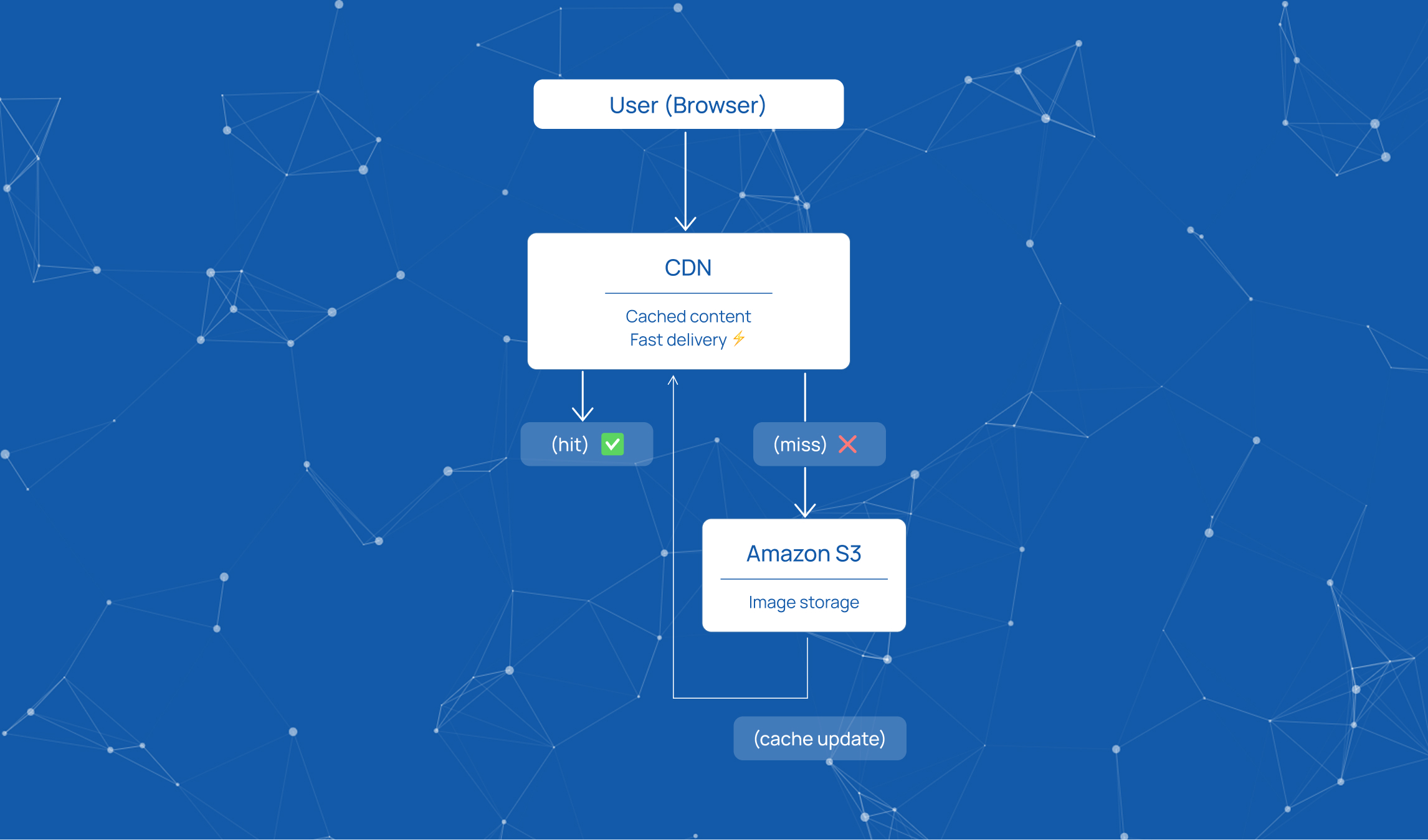
The platform integrates with Amazon S3, which serves as the main storage and distribution layer.
- Provides reliable and scalable storage
- Enables centralized asset management
- Supports global access to stored content
👉 Additional details and documentation are available via the link in the video description.
CDN Integration
To ensure fast and efficient access to stored assets, the platform integrates with a CDN.
- Enables quick image loading and retrieval
- Optimizes content delivery across locations
By configuring:
- Host
- Folder
👉 The system automatically generates a URL that can be used to:
- View assets
- Download files instantly
File Upload & Compression
During upload, the system supports jzip compression.
- Reduces file size
- Preserves image quality
👉 This improves:
- Storage efficiency
- Delivery speed
Caching Settings
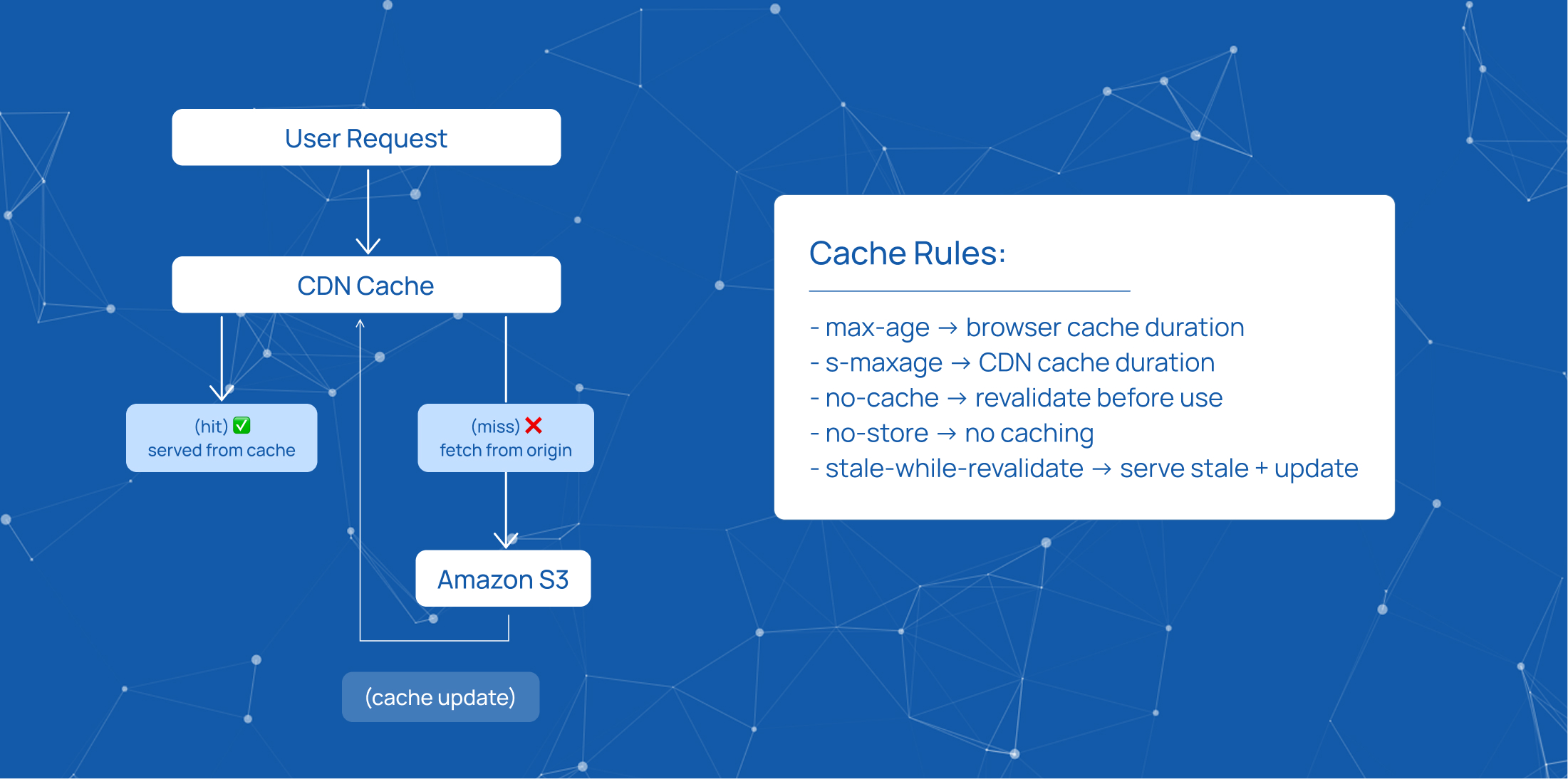
The platform provides full control over CDN caching behavior.
Key Parameters:
Max-age
- Defines how long content is stored in the browser cache
s-maxage (Shared Max-age)
- Controls caching in proxy/CDN layers
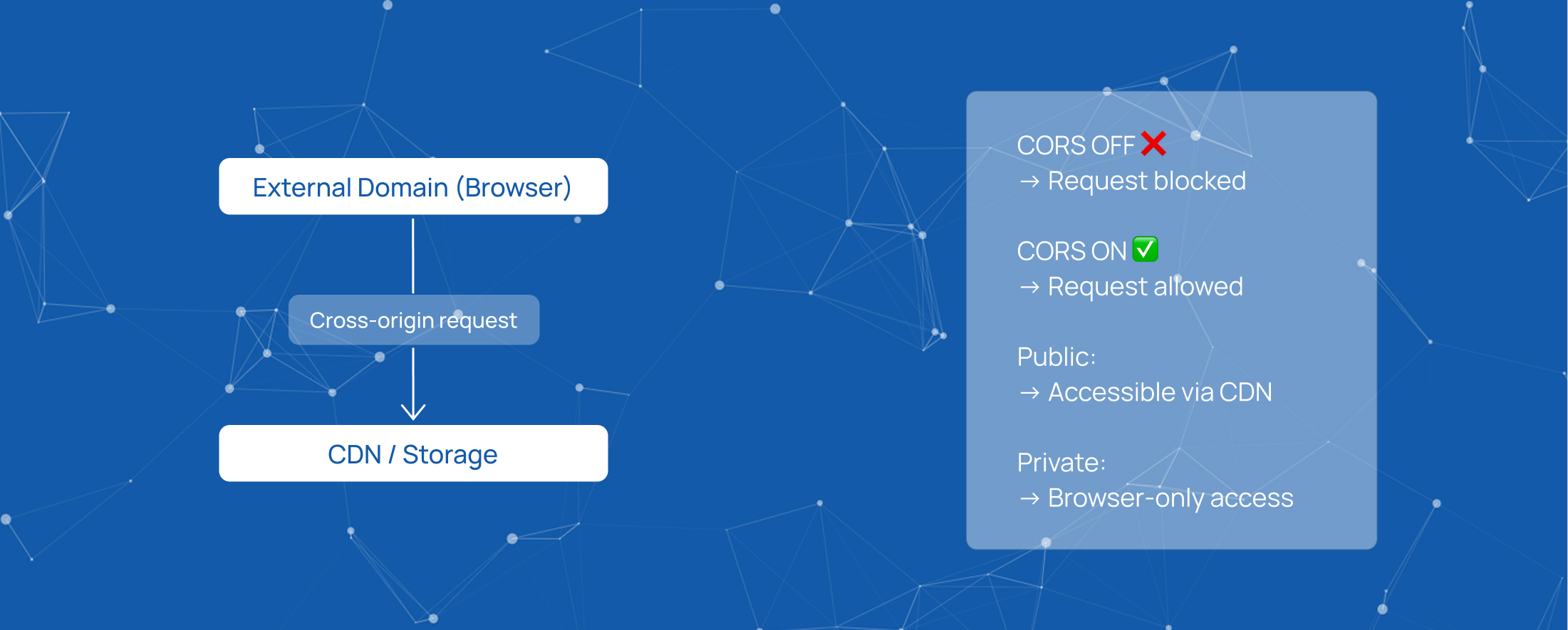
Public vs Private
- Public → cacheable by CDN and proxies
- Private → stored only in the browser
No-cache / No-store
- No-cache → forces revalidation before use
- No-store → disables caching completely
Stale-while-revalidate
- Allows serving cached (stale) content
- Updates content in the background
- Ensures zero latency for users
Vary Header
- Enables multiple cache versions of the same resource
- Based on request headers (e.g., compression type)
CORS Configuration
CORS settings define how assets can be accessed across domains.
- Allows or restricts external access
- Ensures secure content delivery
👉 Important for:
- Integrations
- External applications
- Multi-domain environments
Summary
The Storage Settings module provides a flexible and scalable approach to asset management.
It enables:
- Efficient storage via Amazon S3
- Fast delivery through CDN
- Optimized performance with caching
- Secure access control via CORS
Start innovating with Mobius
What's next? Let's talk!