
Audit Log Configuration Guide
System Activity and Operations Tracking
The Audit Log interface serves as a comprehensive, centralized registry that records all configuration operations executed within the platform. This immutable ledger provides complete operational visibility, allowing system administrators to track administrative accountability, ensure compliance, and perform precise troubleshooting by detailed analysis of environmental changes.
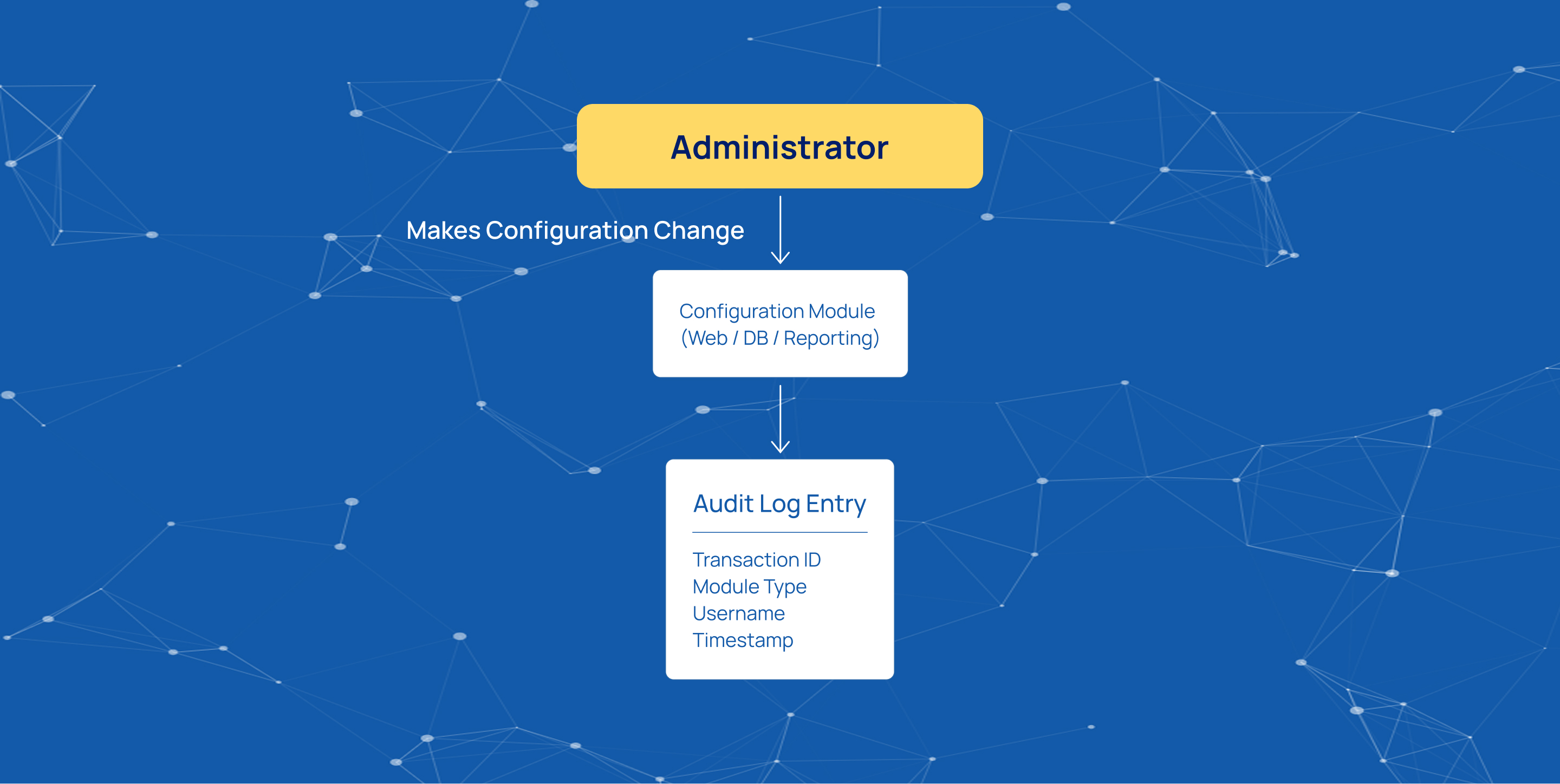
Each log entry captures essential tracking data metadata, including:
- A unique transaction ID
- The specific configuration module type (such as webconfiguration, reportingconfiguration, or dbconfiguration)
- The username of the operator responsible for the modification
State Tracking and Delta Verification
To maintain full historical traceability, the system logs the exact payload states before and after any modification occurs. Administrators can inspect these structural variations directly through the interface by interacting with the options menu on any log record.
View Before
This action displays the initial configuration state modal window (Viewing element before change), containing the precise JSON payload as it existed prior to the execution of the command.
View After
This action reveals the modified state modal window (Viewing element after change), displaying the updated JSON keys, parameters, or file pathways applied by the operation.
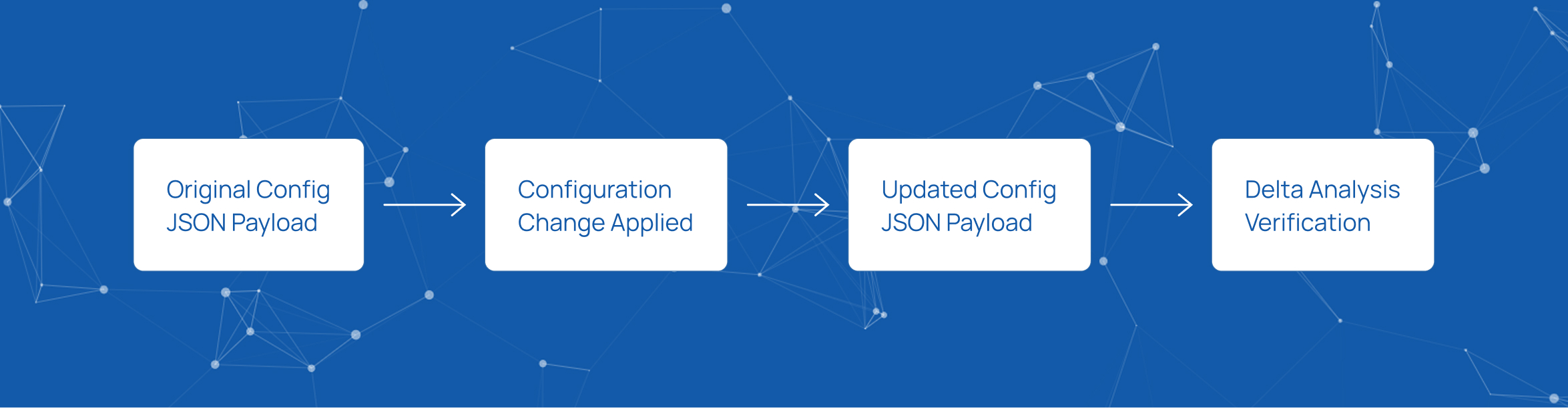
Configuration Change Analysis
By analyzing the structured JSON configurations within these views, administrators can evaluate the complete delta of any system change, ensuring total transparency regarding:
- What was modified
- Who initiated the update
- The precise timestamp context of the operation
Start innovating with Mobius
What's next? Let's talk!