
White Label Configuration Guide
The White Label functionality is designed to minimize the visibility of Mobius Software branding and align the platform interface with your own corporate identity.
The Mobius Management Platform is built to be brand-neutral, meaning that the back-office and general interfaces contain very few traces of vendor branding by default. This approach allows organizations to maintain a consistent brand experience for their customers and ensure that the platform reflects their own identity rather than that of the technology provider.
White Label Branding Components
The platform allows you to customize four primary identity markers that define how users perceive the system:
- Product Name – replaces the software name throughout the interface.
- Product Title – defines the text displayed in the browser tab.
- Product Icon – serves as the primary logo displayed within the platform.
- Favicon – the small icon displayed in browser tabs and bookmarks.
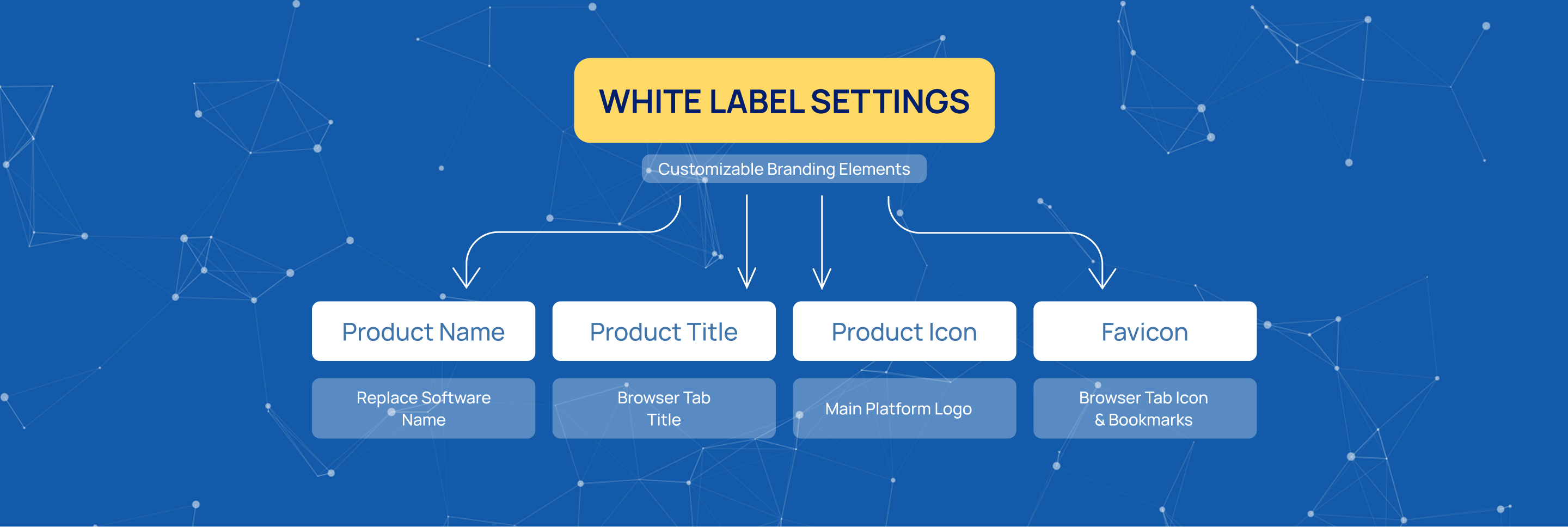
These branding elements help create a professional and consistent appearance across the entire platform while ensuring that your organization remains the primary brand visible to users.
Managing Branding Assets
From a technical perspective, all branding assets, including logos and icons, are stored in Amazon S3 cloud storage.
You can upload your logo and favicon directly to S3 through the management interface and then specify the corresponding asset URLs in the White Label configuration settings. To ensure proper operation, S3 permissions must be configured correctly so the system can retrieve and display the uploaded assets.
Centralized Synchronization
One of the key advantages of the White Label functionality is centralized configuration management.
After branding changes are applied on a single server, the platform automatically synchronizes these updates across all nodes within the cluster. This ensures a consistent appearance throughout the entire infrastructure and eliminates the need to manually update each server individually.
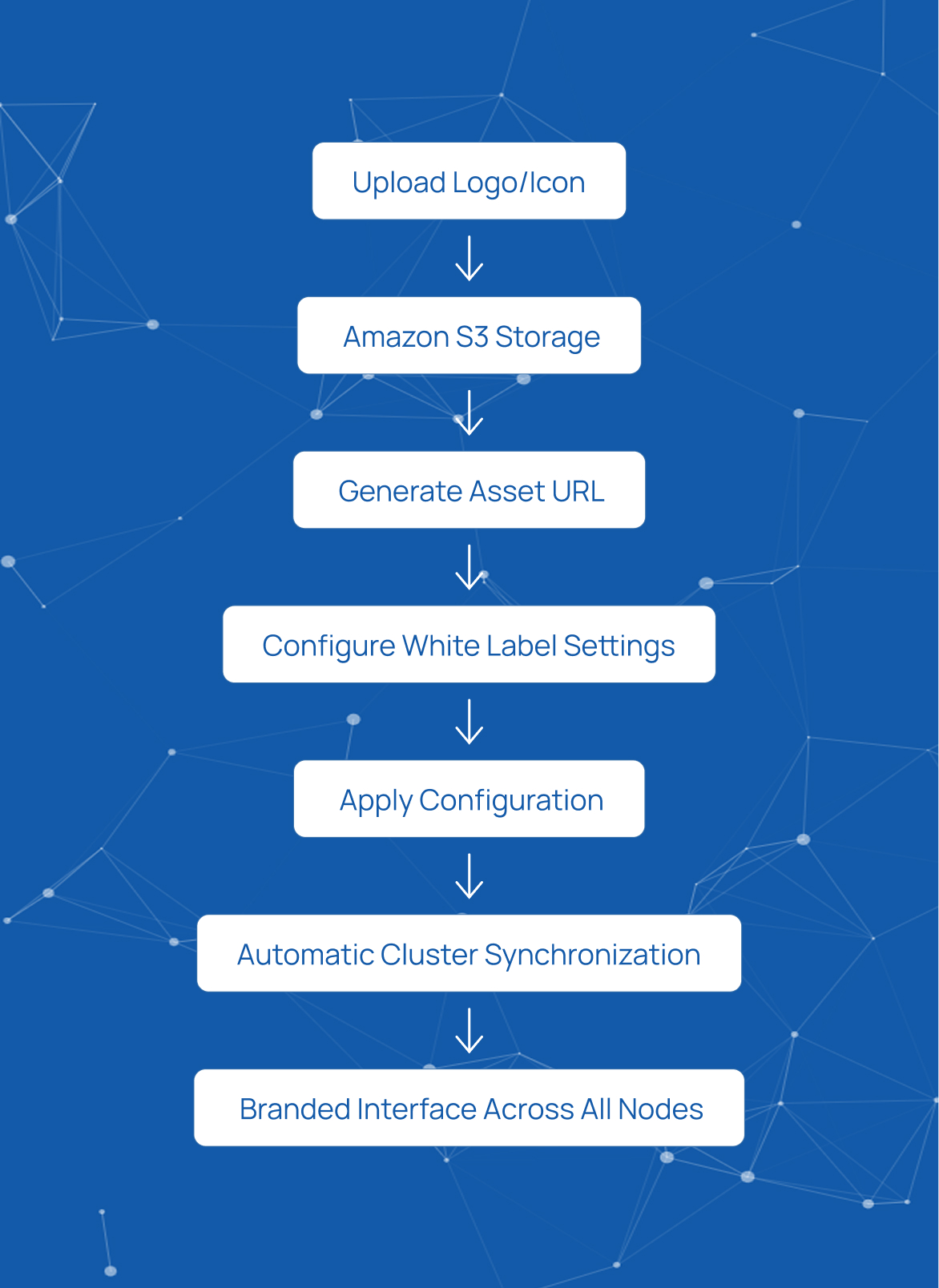
With automatic synchronization, organizations can quickly deploy branding updates and provide a fully customized experience to their customers across all environments.
Start innovating with Mobius
What's next? Let's talk!